![Rebrand Logo Mark No ISO.png]](https://knowledge.sitemarker.com/hs-fs/hubfs/Rebrand%20Logo%20Mark%20No%20ISO.png?height=40&name=Rebrand%20Logo%20Mark%20No%20ISO.png)
When a project closes out, you may need to move it off SiteMarker and onto your own servers — for internal archives, warranty records, or owner handoff packages. SiteMarker gives you a few ways to do this, depending on what you need.
Download individual parts of a project
You can download each part of a SiteMarker project on its own:
- Pins
- Files
- CDs
- Reports
Download your whole project at once
You shouldn't have to babysit a download for an hour or pull files piece by piece. Now you can take the whole project with you when it's done.
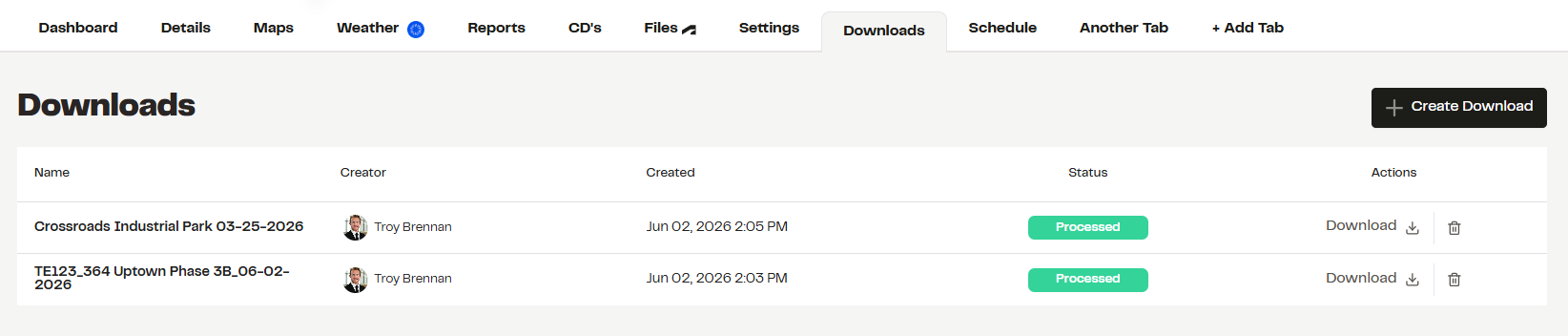
Download an entire SiteMarker project as a single zip file — pins, photos, videos, files, and reports — no matter how large. Big downloads run in the background, so you can keep working while the file builds.
How to use it
- Open a project as an Admin or Owner.
- Choose Download Full Project (or select a large folder).
- The job moves to our servers and processes in the background.
- When it's ready, you'll find it in Downloads, ready to go.