![Rebrand Logo Mark No ISO.png]](https://knowledge.sitemarker.com/hs-fs/hubfs/Rebrand%20Logo%20Mark%20No%20ISO.png?height=40&name=Rebrand%20Logo%20Mark%20No%20ISO.png)
If your team organizes drawings the same way on every job, you can save that set of map layer groups as a template. Every new project can then start with its groups already in place, instead of an empty layers panel. Templates are managed by workspace owners and admins on the web admin (app.sitemarker.com).
Create a template
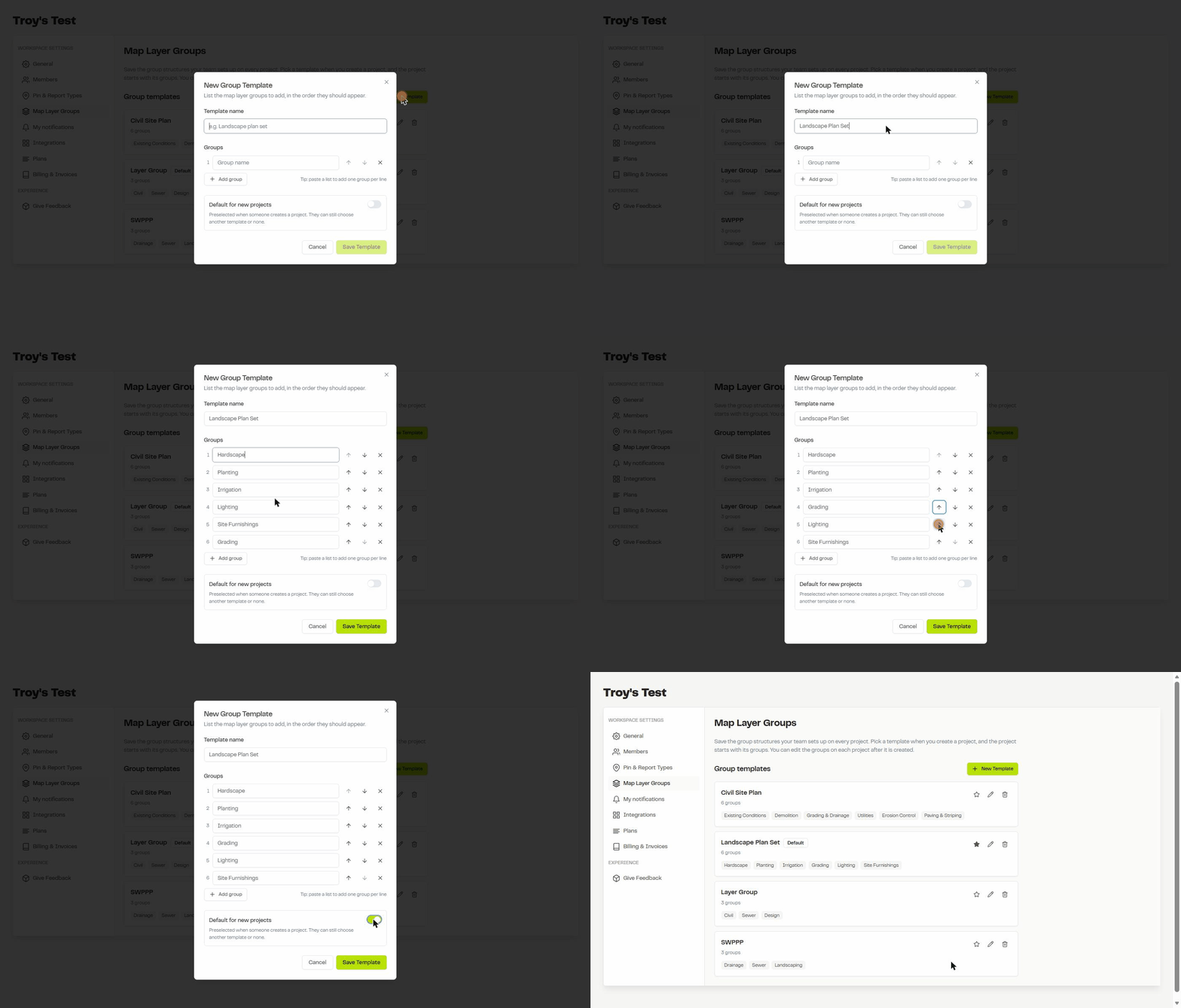
- Open your workspace Settings and click Map Layer Groups.
- Click New Template.
- Give the template a name, such as "Civil Site Plan" or "Landscape Plan Set".
- Add your groups. Type each one, or paste a list with one group per line to add them all at once.
- Use the arrows to put the groups in the order they should appear, and the X to remove one.
- Optional: turn on Default for new projects to have this template preselected whenever someone creates a project.
- Click Save Template.
Manage your templates
- Set the default: click the star on any template. Only one template can be the default.
- Edit: click the pencil to rename the template or change its groups.
- Delete: click the trash can to remove a template you no longer use.
Use a template on a new project
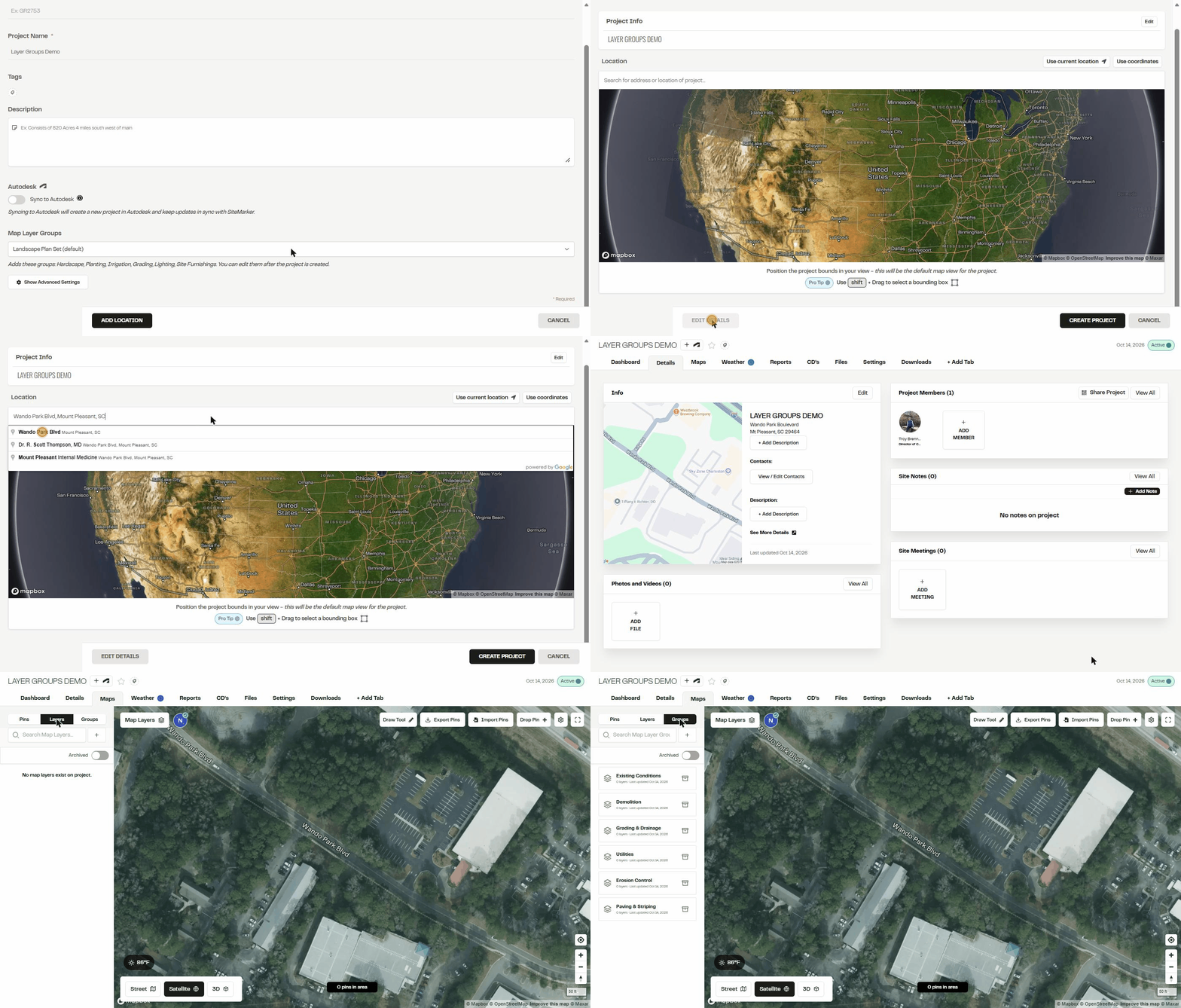
- Click New Project and fill in the project details.
- Under Map Layer Groups, the default template is already selected. Keep it, pick a different template, or choose No group template. The groups the template will add are listed right below.
- Click Add Location, set the location and click Create Project.
- Open the project's Maps tab and click Groups. The template's groups are there, ready for layers.
Things to know
- Templates apply to new projects. They don't change projects that already exist.
- Groups are regular groups once created. Rename, reorder, add or archive them on the project like any other group.
- The picker is on the main project form. You don't need to open Show Advanced Settings to choose a template.
- It works on mobile too. The default template is preselected when you create a project in the mobile app, and you can pick a different one or none. Creating and editing templates is done on the web.