![Rebrand Logo Mark No ISO.png]](https://knowledge.sitemarker.com/hs-fs/hubfs/Rebrand%20Logo%20Mark%20No%20ISO.png?height=40&name=Rebrand%20Logo%20Mark%20No%20ISO.png)
Snap multiple photos, in one flow, without leaving the camera.
Why We Built This
On active job sites, time and clarity are everything. But until now, taking photos in SiteMarker meant snapping one at a time, slowing your rhythm and adding friction when documenting multiple conditions.
Users told us:
“I need to shoot fast, mark it, and move on. Tapping in and out of the camera breaks my workflow.”
We listened. This update gives your team a faster, more flexible way to capture what matters - so you can document confidently and keep the job moving.
What To Expect
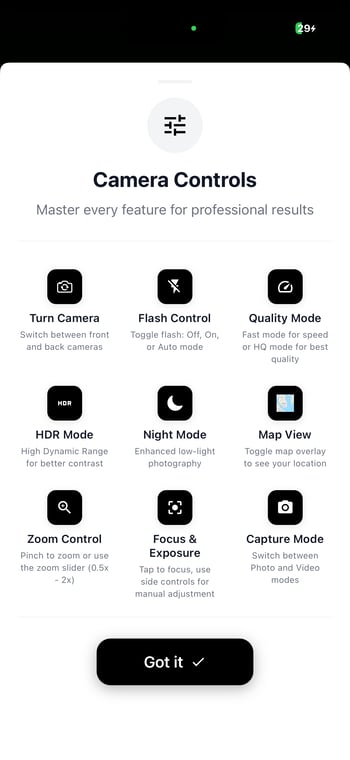
- Snap multiple photos for a single pin, in one go, no more relaunching the camera
- See the photos on your plans, as you take them
- Switch between Fast, Balanced, and HQ Mode
- Get hands-on with the new Map View as we move toward walkthrough mode
How It Works
Tap a pin. Launch the camera. Take as many photos as needed. Done. Every image is instantly saved, GPS-tagged, and attached to the pin, ready for reporting or issue tracking.
No friction. No retakes. Just better field documentation.